Deadline: Tuesday, February 3rd, 11:59 PM PT.
Overview
This is the hard mode of project 0. In this version, you’ll be building almost everything from scratch. There’s no extra credit for working on this harder version of the project. This is a totally new project and the hard mode idea is something I’m trying out so that students with very strong backgrounds have something to help develop their skills further rather than just doing an assignment that is too easy.
The hard mode version of the project had less review and is an experiment, so it may have errors, maybe even big ones. Please let us know on edstem and we’ll fix. Also feel free to reach out to hug@cs.berkeley.edu if you have any feedback you’d like to provide directly, especially since this hard mode thing is an almost totally new idea.
If you’d prefer the normal version of the project see proj0. It’s possible to switch later if you decide this is too much. The code you end up with is almost identical, but the journey is deeper and more comprehensive in this version.
Prerequisites:
In this mini-project, you’ll get some practice with Java by creating a physics sandbox. We’re going to build almost everything totally from scratch, using lots of syntax that we’ve never seen before.
Using Git
It is important that you commit work to your repository at frequent intervals. Version control is a powerful tool for saving yourself when you mess something up or your dog eats your project, but you must use it regularly if it is to be of any use. Feel free to commit every 15 minutes; Git only saves what has changed, even though it acts as if it takes a snapshot of your entire project.
The command git status will tell you what files you have modified, removed, or possibly added since the last commit.
It will also tell you how much you have not yet sent to your GitHub repository.
The typical commands would look something like this:
git status                          # To see what needs to be added or committed.
git add <file or folder path>       # To add, or stage, any modified files.
git commit -m "Commit message"      # To commit changes. Use a descriptive message.
git push origin main                # Reflect your local changes on GitHub so Gradescope can see them.
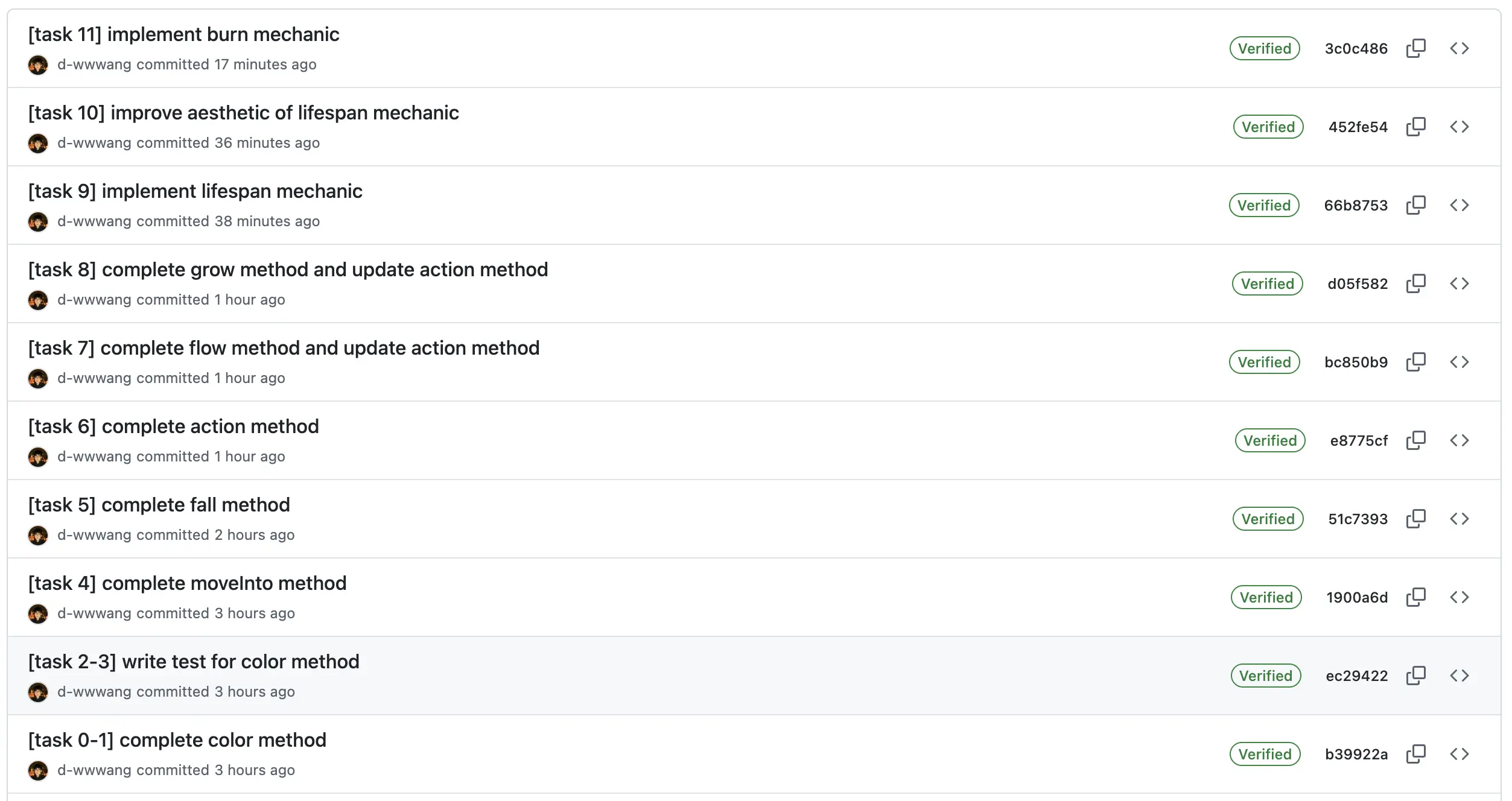
Then you can carry on working on the project until you’re ready to commit and push again, in which case you’ll repeat the above. It is in your best interest to get into the habit of committing frequently with informative commit messages so that in the case that you need to revert back to an old version of code, it is not only possible, but easy. We suggest you commit every time you add a significant portion of code or reach some milestone (passing a new test, for example).
Below is an example for this project:
Misconduct
In order to discourage LLM use, we will be conducting random code reviews for submitted project code for all five projects, with some bias towards code that appears to be LLM generated.
If you find yourself at such a point of total desperation that cheating begins to look attractive, please come to office hours or create a private post on Ed for assistance. We are here to help!
For students selected for code review, we’ll hold short interviews to verify that you are able to explain your code and are capable of generating similar code unassisted.
Setup
Getting the Skeleton Files
Follow the instructions in the Assignment Workflow Guide to get the skeleton code and open it in IntelliJ. For this project, we will be working in the proj0/ directory.
If you get some sort of error, STOP and either figure it out by carefully reading the git WTFs or seek help at OH or Ed. You’ll save yourself a lot of trouble vs. guess-and-check with git commands. If you find yourself trying to use commands recommended by Google like force push, don’t. Don’t use
git push -f, even if a post you found on Stack Overflow says to do it!If you can’t get Git to work, watch this video as a last resort to submit your work.
File Structure
proj0
├── src
    ├── Particle.java
├── tests
    ├── TestParticle.java
Task 1: Setting up the Basics
You’ll notice that the skeleton of the project contains two files. Open them and you’ll see they are almost empty. For some parts of this project we’ll have you copy-and-paste code into files, and for some you’ll be writing your own code.
Let’s start by creating a new file called Direction.java in the src directory, i.e. the same as Particle.java. In this file, paste exactly the following code:
public enum Direction {
    UP,
    DOWN,
    LEFT,
    RIGHT
}
An enum is special type that represents a set of predefined constants. Now that Direction is defined, your project can use Direction.UP, Direction.DOWN, etc. You can read more about enums at https://docs.oracle.com/javase/tutorial/java/javaOO/enum.html.
Now create another file called ParticleFlavor.java, also in the src directory. It should contain exactly:
public enum ParticleFlavor {
    SAND,
    BARRIER,
    WATER,
    PLANT,
    FIRE,
    EMPTY,
    FOUNTAIN,
    FLOWER
}
This represents the types of particles that your world will support.
Lastly, open Particle.java and paste in the following code:
public class Particle {
    public static final int PLANT_LIFESPAN = 150;
    public static final int FLOWER_LIFESPAN = 75;
    public static final int FIRE_LIFESPAN = 10;
    public static final Map<ParticleFlavor, Integer> LIFESPANS =
            Map.of(ParticleFlavor.FLOWER, FLOWER_LIFESPAN,
                   ParticleFlavor.PLANT, PLANT_LIFESPAN,
                   ParticleFlavor.FIRE, FIRE_LIFESPAN);
}
IntelliJ will yell at you and say it doesn’t know what a Map is. Mouse-over the word Map, and it should give a recommendation that says import class.... Either click this or press the keyboard shortcut recommended, and at the type of your file, you should see import java.util.Map appear.
At this point, we’re ready to get started with the file.
Note: final is a keyword that means the variable referenced cannot be modified.
Task 2: Particle Constructor
Every object in our simulated world will be a Particle.
Since we just started filled in the file, Particle objects have no instance variables, though there are some constants you pasted in that that we’ll be using later. Three of the constants are just ints, and the fourth constant LIFESPANS will make it convenient to look up the lifespans of new Particles that we’ll create later.
Add two instance variables to the
Particleclass calledflavorandlifespan. These should be of typesParticleFlavorandint, respectively. Then add a constructor for theParticleclass that takes aParticleFlavorargument and creates a newParticlewith that flavor. If the new particle is a flower, plant, or fire, it should be given the appropriate lifespan. If is it not one of those types, it should have a lifespan of -1.
Equivalent Python code for the constructor is given below for your reference:
def __init__(self, flavor: ParticleFlavor):
    self.flavor = flavor
    self.lifespan = self.LIFESPANS.get(flavor, -1)
Testing the Constructor
Open TestParticle.java and paste in the code below (replacing what is there currently).
import org.junit.jupiter.api.Test;
import static com.google.common.truth.Truth.assertThat;

public class TestParticle {
    @Test
    public void testConstructor() {
        Particle fp = new Particle(ParticleFlavor.FIRE);
        assertThat(fp.flavor).isEqualTo(ParticleFlavor.FIRE);
        assertThat(fp.lifespan).isEqualTo(10);

        Particle sp = new Particle(ParticleFlavor.SAND);
        assertThat(sp.flavor).isEqualTo(ParticleFlavor.SAND);
        assertThat(sp.lifespan).isEqualTo(-1);
    }
}
You should see a green run button appear next to testConstructor. Run the test and verify that it passes. In this project, we’ll be providing all of the test code that you need, though you’re welcome to experiment and write additional tests if you’d like. For example, you could modify the test above to make sure that when a PLANT particle is created that it has the appropriate flavor and lifespan.
We’ll learn more about this testing library (called Google Truth) in lecture 4, and will use it throughout the course. Code like above is almost identical to what we use in our autograder.
Task 3: Particle Color
Later, when we draw particles to the screen, they’ll need to have a distinct color.
At the top of your
Particle.javafile addimport java.awt.Color. Then add a function with the signaturepublic Color color()to the Particle class. It should follow the rules below:
- If the flavor is EMPTY, then return
Color.BLACK.- If the flavor is SAND, then return
Color.YELLOW.- If the flavor is BARRIER, then return
Color.GRAY.- If the flavor is WATER, then return
Color.BLUE.- If the flavor is FOUNTAIN, then return
Color.CYAN.- If the flavor is PLANT, then return
new Color(0, 255, 0). This is a color that has 0 red, 255 green, and 0 blue as its three components.- If the flavor is FIRE, then return a color which has 255 red, 0 green, 0 blue.
- If the flavor is FLOWER, then return a Color which has 255 red, 141 green, 161 blue.
Testing the Color Function
Open your TestParticle.java and add and run the following code to verify your Color function:
    @Test
    public void testColor() {
        Particle emptyParticle = new Particle(ParticleFlavor.EMPTY);
        assertThat(emptyParticle.color()).isEqualTo(Color.BLACK);
        Particle sandParticle = new Particle(ParticleFlavor.SAND);
        assertThat(sandParticle.color()).isEqualTo(Color.YELLOW);
        Particle barrierParticle = new Particle(ParticleFlavor.BARRIER);
        assertThat(barrierParticle.color()).isEqualTo(Color.GRAY);
        Particle waterParticle = new Particle(ParticleFlavor.WATER);
        assertThat(waterParticle.color()).isEqualTo(Color.BLUE);
        Particle fountainParticle = new Particle(ParticleFlavor.FOUNTAIN);
        assertThat(fountainParticle.color()).isEqualTo(Color.CYAN);
        Particle plantParticle = new Particle(ParticleFlavor.PLANT);
        assertThat(plantParticle.color()).isEqualTo(new Color(0, 255, 0));
        Particle fireParticle = new Particle(ParticleFlavor.FIRE);
        assertThat(fireParticle.color()).isEqualTo(new Color(255, 0, 0));
        Particle flowerParticle = new Particle(ParticleFlavor.FLOWER);
        assertThat(flowerParticle.color()).isEqualTo(new Color(255, 141, 161));
    }
Task 4: Adding a Movement Function and Testing It
In our simulator, particles will be able to move into spaces occupied by other particles.
Add a new function
void moveInto(Particle other). The behavior of this function is that after running it:
other.flavorshould be equal to the current particle’s flavorother.lifespanshould be equal to the current particle’s lifespan- The current particle’s flavor should be set to EMPTY (because it moved, leaving emptiness behind)
- The current particle’s lifespan should be set to -1 (because it moved, leaving emptiness behind)
Some Python pseudocode is given below:
def move_into(self, other: 'Particle'):
    other.flavor = self.flavor
    other.lifespan = self.lifespan

    self.flavor = ParticleFlavor.EMPTY
    self.lifespan = -1
Code that you can use to test your moveInto function is given below. Copy and paste this into TestParticle.java, then run it to verify that your moveInto function works.
    @Test
    public void testMoveInto() {
        Particle particle_a = new Particle(ParticleFlavor.FIRE);
        particle_a.lifespan = 10;
        Particle particle_b = new Particle(ParticleFlavor.EMPTY);
        particle_b.lifespan = -1;

        particle_a.moveInto(particle_b);
        assertThat(particle_a.flavor).isEqualTo(ParticleFlavor.EMPTY);
        assertThat(particle_a.lifespan).isEqualTo(-1);

        assertThat(particle_b.flavor).isEqualTo(ParticleFlavor.FIRE);
        assertThat(particle_b.lifespan).isEqualTo(10);
    }
Task 5: ParticleSimulator Creation
Create a new file called
ParticleSimulator.java. This file should have:
- An instance variable
public Particle[][] particles;- An instance variable
public int width;- An instance variable
public int height;Add a two-argument constructor ParticleSimulator(int w, int h) that sets thewidthandheightand initializesparticlesas a 2D array of EMPTY particles. To initializeparticles, you’ll need to:- Create the 2D array with
particles = new Particle[width][height];- Loop over every particle in the
widthxheight2D array and replace the defaultnullwith a newParticlethat has flavorParticleFlavor.EMPTY. Make sure you’re not just putting the same particle in every location.
Testing your Particle Simulator Constructor
Create a new file TestParticleSimulator.java and paste the code below. Run it to verify your particle simulator is created appropriately.
import static com.google.common.truth.Truth.assertThat;
import static com.google.common.truth.Truth.assertWithMessage;

import org.junit.Test;

public class TestParticleSimulator {

    @Test
    public void testConstructor_initializesEmptyGrid_usingIndices() {
        int w = 50;
        int h = 60;
        ParticleSimulator simulator = new ParticleSimulator(w, h);

        // 1. Verify the outer array length (Width)
        assertThat(simulator.particles).hasLength(w);

        // 2. Iterate using Integer Indices
        for (int x = 0; x < w; x++) {

            // Verify the inner array length (Height) for this column
            assertThat(simulator.particles[x]).hasLength(h);

            for (int y = 0; y < simulator.height; y++) {
                Particle particle = simulator.particles[x][y];

                // Verify the particle is not null
                assertThat(particle).isNotNull();

                // Verify the particle is initialized to EMPTY
                assertWithMessage("Particle at x=%s, y=%s should be EMPTY", x, y)
                        .that(particle.flavor)
                        .isEqualTo(ParticleFlavor.EMPTY);
            }
        }
    }
}
Task 6: Drawing Particles
Let’s make our simulator draw something. For this part, we’ll give away the code.
First copy and paste this method into your ParticleSimulator.java. Make sure you’re putting it in ParticleSimulator.java, not Particle.java
   public void drawParticles() {
        for (int x = 0; x < width; x += 1) {
            for (int y = 0; y < height; y += 1) {
                StdDraw.setPenColor(particles[x][y].color());
                StdDraw.filledSquare(x, y, 0.5);
            }
        }
    }
Then copy and paste the main method below into ParticleSimulator.java and run it:
    static void main() {
        ParticleSimulator particleSimulator = new ParticleSimulator(150, 150);
        StdDraw.setXscale(0, particleSimulator.width);
        StdDraw.setYscale(0, particleSimulator.height);
        StdDraw.enableDoubleBuffering();
        StdDraw.clear(StdDraw.BLACK);
        ParticleFlavor nextParticleFlavor = ParticleFlavor.SAND;

        while (true) {
            if (StdDraw.isMousePressed()) {
                int x = (int) StdDraw.mouseX();
                int y = (int) StdDraw.mouseY();
                particleSimulator.particles[x][y] = new Particle(nextParticleFlavor);
            }

            particleSimulator.drawParticles();
            StdDraw.show();
            StdDraw.pause(5);
        }
    }
When you run the code, you should be able to click on the window that appears and see sand appear wherever you click.
Task 7: Allowing More Particle Types
We want to be able to allow the user to select other particle types.
At the top of your ParticleSimulator.java, add a new variable called LETTER_TO_PARTICLE that looks like this:
    public static final Map<Character, ParticleFlavor> LETTER_TO_PARTICLE = Map.of(
            's', ParticleFlavor.SAND,
            'b', ParticleFlavor.BARRIER,
            'w', ParticleFlavor.WATER,
            'p', ParticleFlavor.PLANT,
            'f', ParticleFlavor.FIRE,
            '.', ParticleFlavor.EMPTY,
            'n', ParticleFlavor.FOUNTAIN,
            'r', ParticleFlavor.FLOWER
    );
This code is the equivalent of creating a hard-coded dictionary in Python, i.e. in python this would be:
LETTER_TO_PARTICLE = {
    's': ParticleFlavor.SAND,
    'b': ParticleFlavor.BARRIER,
    'w': ParticleFlavor.WATER,
    'p': ParticleFlavor.PLANT,
    'f': ParticleFlavor.FIRE,
    '.': ParticleFlavor.EMPTY,
    'n': ParticleFlavor.FOUNTAIN,
    'r': ParticleFlavor.FLOWER
}
We’ll use this map to go between key presses that the user makes and particle types. For example, LETTER_TO_PARTICLE.get('b') would return ParticleFlavor.BARRIER.
Modify the main method so that when a user presses a key, the following particles are of that type. For example, if the user presses b then clicks a few times, then BARRIER particles should appear. If they then press f then click, then FIRE particles should appear.
You’ll need:
StdDraw.hasNextKeyTyped()- returns true if the user has pressed a key.StdDraw.nextKeyTyped()- returns the key the user typed.
Note that if you click at the very edge of the window, your program will crash. We’ll fix this in the next section.
Task 8: Valid Index
Write a function
public boolean validIndex(int x, int y)that returns true if the indices provided are valid. An index is valid if x is in the range[0, width), i.e. exclusive of the width, and if y is in the range[0, height).
When you’ve written your function, copy and paste the following test into TestParticleSimulator and run it.
    @Test
    public void testValidIndex() {
        // Arrange: Create a grid of 10x20
        int width = 10;
        int height = 20;
        ParticleSimulator sim = new ParticleSimulator(width, height);

        // Assert: Valid Indices (Inside bounds)
        assertThat(sim.validIndex(0, 0)).isTrue();             // Bottom-Left Corner
        assertThat(sim.validIndex(9, 19)).isTrue();            // Top-Right Corner (width-1, height-1)
        assertThat(sim.validIndex(5, 10)).isTrue();            // Middle

        // Assert: Invalid Indices (Outside bounds)
        assertThat(sim.validIndex(-1, 0)).isFalse();           // Negative X
        assertThat(sim.validIndex(0, -1)).isFalse();           // Negative Y
        assertThat(sim.validIndex(10, 0)).isFalse();           // X == Width (Off by one)
        assertThat(sim.validIndex(0, 20)).isFalse();           // Y == Height (Off by one)
        assertThat(sim.validIndex(100, 100)).isFalse();        // Far out of bounds
    }
Task 9: Using Valid Index
Modify the
mainmethod so that if the user clicks an invalid coordinate that no particle is created. Hint: when you get thexandycoordinate, only usenew Particleif the index is valid.Verify that clicking at the very edge of the window no longer causes the code to crash.
Task 10: getNeighbors
Soon, we’ll add physics to our world so that particles fall, plants grow, etc. Before we can do this, we need a method that returns the neighbors of a given particle. This method public Map<Direction, Particle> getNeighbors(int x, int y) should return a Map from each of the four cardinal directions to its neighbor.
If a neighbor doesn’t exist, then your method should map that direction to dummy BARRIER particle. For example, if you call getNeighbors on a particle in the bottom row, then the map that returns should map from Particle.DOWN to a new Particle(ParticleFlavor.BARRIER) rather than any of the actual particles in the simulator.
Fill in public Map<Direction, Particle> getNeighbors(int x, int y).
To test your code, copy and paste the following test into TestParticleSimulator.java:
    @Test
    public void testGetNeighbors() {
        // Arrange: Create a small 3x3 grid
        // (0,2) (1,2) (2,2)
        // (0,1) (1,1) (2,1)
        // (0,0) (1,0) (2,0)
        ParticleSimulator sim = new ParticleSimulator(3, 3);

        // Setup specific particles around the center (1,1) to verify correct mapping
        sim.particles[1][2] = new Particle(ParticleFlavor.WATER); // UP of center
        sim.particles[1][0] = new Particle(ParticleFlavor.SAND);  // DOWN of center
        sim.particles[0][1] = new Particle(ParticleFlavor.FIRE);  // LEFT of center
        sim.particles[2][1] = new Particle(ParticleFlavor.PLANT); // RIGHT of center

        // --- Case 1: Center Particle (All neighbors are within bounds) ---
        Map<Direction, Particle> centerNeighbors = sim.getNeighbors(1, 1);

        assertThat(centerNeighbors.get(Direction.UP).flavor).isEqualTo(ParticleFlavor.WATER);
        assertThat(centerNeighbors.get(Direction.DOWN).flavor).isEqualTo(ParticleFlavor.SAND);
        assertThat(centerNeighbors.get(Direction.LEFT).flavor).isEqualTo(ParticleFlavor.FIRE);
        assertThat(centerNeighbors.get(Direction.RIGHT).flavor).isEqualTo(ParticleFlavor.PLANT);

        // --- Case 2: Bottom-Left Corner (0,0) (Verify Off-Screen is Barrier) ---
        // Neighbors for (0,0):
        // UP: (0,1) -> Fire (from setup above)
        // RIGHT: (1,0) -> Sand (from setup above)
        // DOWN: (0,-1) -> Off screen -> Should be BARRIER
        // LEFT: (-1,0) -> Off screen -> Should be BARRIER

        Map<Direction, Particle> cornerNeighbors = sim.getNeighbors(0, 0);

        // Verify valid neighbors
        assertThat(cornerNeighbors.get(Direction.UP).flavor).isEqualTo(ParticleFlavor.FIRE);
        assertThat(cornerNeighbors.get(Direction.RIGHT).flavor).isEqualTo(ParticleFlavor.SAND);

        // Verify invalid/off-screen neighbors are treated as BARRIER
        assertWithMessage("Off-screen neighbor (Down) should be treated as BARRIER")
                .that(cornerNeighbors.get(Direction.DOWN).flavor).isEqualTo(ParticleFlavor.BARRIER);
        assertWithMessage("Off-screen neighbor (Left) should be treated as BARRIER")
                .that(cornerNeighbors.get(Direction.LEFT).flavor).isEqualTo(ParticleFlavor.BARRIER);
    }
Task 11: Making Particles Fall
Add a function to
Particle.javawith the signaturepublic void fall(Map<Direction, Particle> neighbors). This function should:
- Check the neighbor in the down direction, e.g.
neighbors.get(Direction.DOWN).- If that neighbor has a flavor equal to
ParticleFlavor.EMPTY, then the current particle shouldmoveIntothat particle. You’ll want to use yourmoveIntofunction from earlier.
To test your fall function, paste the following code into TestParticle.java.
    @Test
    public void testFall() {
        // Arrange: Initialize a small 2x2 simulator
        ParticleSimulator sim = new ParticleSimulator(2, 2);

        // --- Scenario 1: Fall into Empty Space ---
        // Setup: Place SAND at (0, 1) and ensure (0, 0) is EMPTY
        // Note that 0, 0 is the bottom left, and 0, 1 is the top left.
        sim.particles[0][1] = new Particle(ParticleFlavor.SAND);
        sim.particles[0][0] = new Particle(ParticleFlavor.EMPTY);

        // Get real neighbors for the particle at (0, 1)
        Map<Direction, Particle> neighbors1 = sim.getNeighbors(0, 1);

        // Act: Tell the particle at (0, 1) to fall
        sim.particles[0][1].fall(neighbors1);

        // Assert:
        // 1. Old position (0, 1) should now be EMPTY
        assertThat(sim.particles[0][1].flavor).isEqualTo(ParticleFlavor.EMPTY);
        // 2. New position (0, 0) should now be SAND
        assertThat(sim.particles[0][0].flavor).isEqualTo(ParticleFlavor.SAND);


        // --- Scenario 2: Blocked by Barrier ---
        // Setup: Place SAND at (1, 1) and BARRIER at (1, 0)
        sim.particles[1][1] = new Particle(ParticleFlavor.SAND);
        sim.particles[1][0] = new Particle(ParticleFlavor.BARRIER);

        // Get real neighbors for the particle at (1, 1)
        Map<Direction, Particle> neighbors2 = sim.getNeighbors(1, 1);

        // Act: Tell the particle at (1, 1) to fall
        sim.particles[1][1].fall(neighbors2);

        // Assert:
        // 1. Position (1, 1) stays SAND (blocked)
        assertThat(sim.particles[1][1].flavor).isEqualTo(ParticleFlavor.SAND);
        // 2. Position (1, 0) stays BARRIER
        assertThat(sim.particles[1][0].flavor).isEqualTo(ParticleFlavor.BARRIER);
    }
You’ll also need to put this line at the top of the file.
import java.util.Map;
Run the test and verify your fall method works correctly.
Task 12: The tick Method
In our universe, every moment of time is called a “tick”, as in the ticking and tocking of a clock.
Add a method to your ParticleSimulator.java class with the signature public void tick(). It should call fall on every particle in the grid.
Note that fall needs to be given a Map<Direction, Particle> that contains all the neighbors of the given particle. You can use the getNeighbors to get this map.
Your simulator should call fall on the particles starting at the bottom left (0, 0), then going up one (0, 1), then going up one again (0, 2), and so forth. Once the the first column is done, the next particle on which fall is called should be (1, 0), i.e. the bottom particle in the second column, then up one (1, 1), etc.
You might find the testFall method to be a useful reference.
To test your tick method, add the following to your TestParticleSimulator.java class.
@Test
    public void testTick_updatesParticlesBottomUp() {
        // Arrange: Create a tall, narrow grid (1 wide, 3 high)
        // Coordinates: (0,0) is bottom, (0,2) is top
        ParticleSimulator sim = new ParticleSimulator(1, 3);

        // Setup a stack of sand with a gap at the bottom
        sim.particles[0][0] = new Particle(ParticleFlavor.EMPTY); // Bottom
        sim.particles[0][1] = new Particle(ParticleFlavor.SAND);  // Middle
        sim.particles[0][2] = new Particle(ParticleFlavor.SAND);  // Top

        // Act: Run one simulation step
        sim.tick();

        // Assert: Both particles should have moved down one step

        // 1. The bottom spot (0,0) catches the first falling sand
        assertThat(sim.particles[0][0].flavor).isEqualTo(ParticleFlavor.SAND);

        // 2. The middle spot (0,1) catches the second falling sand
        // (If the loop ran top-down, this would be EMPTY because the top sand would have been blocked)
        assertThat(sim.particles[0][1].flavor).isEqualTo(ParticleFlavor.SAND);

        // 3. The top spot (0,2) should now be empty
        assertThat(sim.particles[0][2].flavor).isEqualTo(ParticleFlavor.EMPTY);
    }
Task 13: A Better Test
To make testing and more exhaustive later, add the function below to your ParticleSimulator.java class. This is similar to a __str__ or __repr__ method in Python.
    @Override
    public String toString() {
        // 1. Build a reverse map to look up characters by Flavor
        Map<ParticleFlavor, Character> flavorToChar = new HashMap<>();
        for (Map.Entry<Character, ParticleFlavor> entry : LETTER_TO_PARTICLE.entrySet()) {
            flavorToChar.put(entry.getValue(), entry.getKey());
        }

        StringBuilder sb = new StringBuilder();

        // Have to iterate from the top so that
        // the top particles are shown first.
        for (int y = height - 1; y >= 0; y -= 1) {
            for (int x = 0; x < width; x += 1) {
                Particle p = particles[x][y];
                sb.append(flavorToChar.get(p.flavor));
            }
            sb.append("\n");
        }
        return sb.toString();
    }
Then add the code below to TestParticleSimulator.java:
    private ParticleSimulator fromBoardString(String board) {
        String[] lines = board.trim().split("\\n");
        int height = lines.length;
        int width = lines[0].trim().length();

        ParticleSimulator sim = new ParticleSimulator(width, height);

        for (int i = 0; i < height; i++) {
            String line = lines[i].trim();
            for (int x = 0; x < width; x++) {
                char c = line.charAt(x);
                int y = height - 1 - i;
                ParticleFlavor flavor = ParticleSimulator.LETTER_TO_PARTICLE.get(c);
                sim.particles[x][y] = new Particle(flavor);
            }
        }
        return sim;
    }

    @Test
    public void testTickVisual() {
        // Arrange: A 3x5 grid with sand (s) suspended over empty space (d)
        // and a barrier (b) at the bottom.
        String initialBoard = """
            s.s
            s.s
            ...
            ...
            bbb
            """;

        ParticleSimulator sim = fromBoardString(initialBoard);

        // Act: Run 1 tick
        sim.tick();

        String expectedAfter1Tick = """
            ...
            s.s
            s.s
            ...
            bbb
            """;

        // Assert: Verify state after 1 tick
        assertThat(sim.toString().trim()).isEqualTo(expectedAfter1Tick.trim());

        // Act: Run 2nd tick
        sim.tick();

        String expectedAfter2Ticks = """
            ...
            ...
            s.s
            s.s
            bbb
            """;

        // Assert: Verify state after 2 ticks
        assertThat(sim.toString().trim()).isEqualTo(expectedAfter2Ticks.trim());
    }
Note that this type of test is much easier to understand visually. Run this test and make sure you still pass.
Task 14: Adding Gravity to the Simulation
Now things get a bit more interesting.
Add a call to tick in your main method on the line just before particleSimulator.drawParticles();
Once you’ve done this, run your code and try to create some particles. You should see that they fall and land at the bottom.
Try holding and dragging your cursor. You should see a lot of particles falling!
Task 15: Stopping Barrier from Falling
We want to allow our particles to behave differently based on their type.
To do this, add a new method to
Particle.javacalledpublic void action(Map<Direction, Particle> neighbors).It should have the following behavior:
- If the flavor of the current particle is EMPTY, return immediately.
- If the flavor of the current particle is not BARRIER, call fall.
Then modify the
tickmethod so that it callsactioninstead offall.
The visual effect should be that any BARRIER particles you create are immune to gravity, i.e. remain suspended in the air. Try creating some other particle type above a BARRIER and you should see it get caught.
You should also copy and paste the following test into TestParticleSimulator.java to verify that your code is correct.
[COMING SOON, you are fast if you got to this before we did!]
Task 16: Making Water Flow
Create a new method
public void flow(Map<Direction, Particle> neighbors). It should choose one of the following three choices:
- With 1/3 chance, don’t do anything.
- With 1/3 chance, if the left neighbor is empty,
moveIntoit.- With 1/3 chance, if the right neighbor is empty,
moveIntoit.
Only one of these three choices should be picked.
To get a random number in the range [0, 1, 2], use StdRandom.uniformInt(3);. You’ll need to add import edu.princeton.cs.algs4.StdRandom; to the top of your file.
Then modify the
actionmethod so that the logic is:
- If the flavor of the current particle is EMPTY, return immediately.
- If the flavor of the current particle is not BARRIER, call
fall.- If the flavor of the current particle is WATER, call
flow.
Minor detail (that you can feel free to ignore): Despite the logic above, a water particle will never fall then flow in the same tick. This is because after the moveInto call made by fall, the current particle type becomes EMPTY.
After implementing this function, create some BARRIER particles, maybe in a bowl shape. Then drop some WATER particles and you should see that after the bowl is full, the WATER particles start to overflow the edges.
Also add the test below to your TestParticleSimulator.java to verify your action, and flow methods are working correctly.
    @Test
    public void testTickWithFlow() {
        // Arrange:
        // Col 0: Stacked Sand (s) on Barrier -> Should be Stable
        // Col 2: Water (w) on Barrier -> Should Flow
        // Col 4: Sand (s) in Air -> Should Fall
        String startState = """
            s...s
            s.w..
            bbbbb
            """;

        // Possibility 1: Water stays put (or moves Right then Left)
        // Sand falls.
        String expectStay = """
            s....
            s.w.s
            bbbbb
            """;

        // Possibility 2: Water flows Left.
        // Sand falls.
        String expectLeft = """
            s....
            sw..s
            bbbbb
            """;

        // Possibility 3: Water flows Right ONCE (Right then Stay).
        // Sand falls.
        String expectRightSingle = """
            s....
            s..ws
            bbbbb
            """;

        // Possibility 4: Water flows Right TWICE (Right then Right).
        // Water ends up under the Sand (at 4,1), blocking the Sand at (4,2).
        String expectRightDouble = """
            s...s
            s...w
            bbbbb
            """;

        int countStay = 0;
        int countLeft = 0;
        int countRightSingle = 0;
        int countRightDouble = 0;

        // Act: Run 1000 simulations
        for (int i = 0; i < 1000; i++) {
            ParticleSimulator sim = fromBoardString(startState);
            sim.tick();
            String result = sim.toString().trim();

            if (result.equals(expectStay.trim())) {
                countStay += 1;
            } else if (result.equals(expectLeft.trim())) {
                countLeft += 1;
            } else if (result.equals(expectRightSingle.trim())) {
                countRightSingle += 1;
            } else if (result.equals(expectRightDouble.trim())) {
                countRightDouble += 1;
            } else {
                throw new AssertionError("Unexpected board state:\n" + result);
            }
        }

        // Assert:
        // 1. Left (~33%): > 240 is safe.
        assertThat(countLeft).isGreaterThan(240);

        // 2. Stay (~44%): 1/3 (Stay) + 1/9 (Right-then-Left) = 4/9. > 240 is safe.
        assertThat(countStay).isGreaterThan(240);

        // 3. Right Single (~11%): 1/3 (Right) * 1/3 (Stay) = 1/9.
        // Expected ~111. Threshold 50 is safe.
        assertThat(countRightSingle).isGreaterThan(50);

        // 4. Right Double (~11%): 1/3 (Right) * 1/3 (Right) = 1/9.
        // Expected ~111. Threshold 50 is safe.
        assertThat(countRightDouble).isGreaterThan(50);
    }

    @Test
    public void testFallingWaterDoesNotFlow() {
        // Arrange:
        // Water (w) suspended in the center.
        // It has empty space below it (so it MUST fall).
        // It has empty space to the sides (so it COULD flow, if logic was wrong).
        String startState = """
            ...
            .w.
            ...
            bbb
            """;

        // Expected Behavior:
        // The water drops exactly one spot (to the center bottom).
        // It should NOT move Left or Right after falling.
        String expectedState = """
            ...
            ...
            .w.
            bbb
            """;

        for (int i = 0; i < 100; i++) {
            ParticleSimulator sim = fromBoardString(startState);
            sim.tick();

            String result = sim.toString().trim();
            assertThat(result).isEqualTo(expectedState.trim());
        }
    }
Task 17: Making Plants and Flowers Grow
Create a new method with signature
public void grow(Map<Direction, Particle> neighbors). It should pick from the following four choices:
- With 10% chance, if the UP neighbor is empty, set the flavor of the up neighbor to the same flavor as the current particle.
- With 10% chance, if the LEFT neighbor is empty, set the flavor of the left neighbor to the same flavor as the current particle.
- With 10% chance, if the RIGHT neighbor is empty, set the flavor of the right neighbor to the same flavor as the current particle.
- With 70% chance do none of the above.
Make sure to set the neighbor’s lifespan based on the flavor of the current particle, e.g. if a
PLANTgrows into the UP position, it should have a lifespan of 150 as given inLIFESPANS.
Only one of these four choices should be picked.
To get a random number from [0, 1, 2, 3, 4, 5, 6, 7, 8, 9], use StdRandom.uniformInt(10);.
Then modify
actionso that it has the following behavior:
- If the flavor of the current particle is EMPTY, return immediately.
- If the flavor of the current particle is not BARRIER, call
fall.- If the flavor of the current particle is WATER, call
flow.- If the flavor of the current particle is PLANT or FLOWER, call
grow.
When you run the simulator, you should see that when a FLOWER or PLANT hits the ground, it should start growing.
Run the code below to verify that your grow and action methods are working correctly. You may need to import additional classes for this code to compile, either by using the appropriate keyboard shortcut on any missing imported classes, or by using import java.util.*; at the top of your test file.
    @Test
    public void testGrow() {
        String startState = """
        ...
        .p.
        bbb
        """.trim();


        // The list of REQUIRED growth outcomes
        List<String> expectedGrowthStates = new ArrayList<>();

        expectedGrowthStates.add("""
        ...
        .p.
        bbb
        """.trim()); // no growth

        expectedGrowthStates.add("""
        ...
        pp.
        bbb
        """.trim()); // Left

        expectedGrowthStates.add("""
        .p.
        .p.
        bbb
        """.trim()); // Up

        expectedGrowthStates.add("""
        pp.
        .p.
        bbb
        """.trim()); // Up + Left

        expectedGrowthStates.add("""
        ...
        .pp
        bbb
        """.trim()); // Right

        expectedGrowthStates.add("""
        ..p
        .pp
        bbb
        """.trim()); // Right + Up

        expectedGrowthStates.add("""
        .p.
        .pp
        bbb
        """.trim()); // Up, Right (fall)

        expectedGrowthStates.add("""
        .pp
        .pp
        bbb
        """.trim()); // Right, Up, Left


        // --- ACT ---
        Set<String> observedStates = new HashSet<>();

        for (int i = 0; i < 10000; i++) {
            ParticleSimulator sim = fromBoardString(startState);
            sim.tick();
            observedStates.add(sim.toString().trim());
        }

        // --- ASSERT 1: CHECK FOR MISSING STATES ---
        for (String expected : expectedGrowthStates) {
            assertWithMessage("""
        Test Failed: A required growth state was never observed.
        Missing State:
        %s
        """, expected)
                    .that(observedStates)
                    .contains(expected);
        }

        // --- ASSERT 2: CHECK FOR UNEXPECTED (INVALID) STATES ---

        // Create a "White List" of all valid outcomes (Growth + No Change)
        Set<String> validStates = new HashSet<>(expectedGrowthStates);

        for (String observed : observedStates) {
            assertWithMessage("""
        Test Failed: An invalid/impossible state was generated.
        Unexpected State:
        %s
        """, observed)
                    .that(validStates)
                    .contains(observed);
        }
    }
Task 18: Making Lifespan Count
Add a method to
Particlecalledpublic void decrementLifespan(). It should have the following behavior:
- If the lifespan of the current particle is greater than 0, subtract 1 from the lifespan.
- If the lifespan of the current particle is zero, set its flavor to
EMPTYand its lifespan to -1.Then modify your
tickmethod so that after callingactionon each particle, you then calldecrementLifeSpanimmediately. That is, mytickmethod has these lines:
                Map<Direction, Particle> neighbors = getNeighbors(x, y);
                particles[x][y].action(neighbors);
                particles[x][y].decrementLifespan();
Also, modify your Color color() method in Particlegit.java so that the colors for FLOWER, PLANT, and FIRE are as given below:
        if (flavor == ParticleFlavor.FLOWER) {
            double ratio = (double) Math.max(0, Math.min(lifespan, FLOWER_LIFESPAN)) / FLOWER_LIFESPAN;
            int r = 120 + (int) Math.round((255 - 120) * ratio);
            int g = 70 + (int) Math.round((141 - 70) * ratio);
            int b = 80 + (int) Math.round((161 - 80) * ratio);
            return new Color(r, g, b);
        }
        if (flavor == ParticleFlavor.PLANT) {
            double ratio = (double) Math.max(0, Math.min(lifespan, PLANT_LIFESPAN)) / PLANT_LIFESPAN;
            int g = 120 + (int) Math.round((255 - 120) * ratio);
            return new Color(0, g, 0);
        }
        if (flavor == ParticleFlavor.FIRE) {
            double ratio = (double) Math.max(0, Math.min(lifespan, FIRE_LIFESPAN)) / FIRE_LIFESPAN;
            int r = (int) Math.round(255 * ratio);
            return new Color(r, 0, 0);
        }
Try running your simulation again. You should see that plants and flowers change color depending on how old they are. There is no automated test for this part.
Task 19: Fire
Add a new method
public void burn(Map<Direction, Particle> neighbors)that has the following behavior:
- If any neighbor is either PLANT or FLOWER, with 40% chance independently, give that flavor
ParticleFlavor.FIREand set its lifespan toFIRE_LIFESPAN.
Also modify the action method so that if the current particle is fire, then burn is called.
Now run the simulation. You should find that plants and flowers are flammable. You should notice that because our universe has directional bias, i.e. the simulation goes from the bottom left to top right, that fire burns asymmetrically, burning more quickly towards the right than towards the left.
Task 20 (Optional: No Credit)
After you’ve submitted to gradescope, feel free to get creative and add new features to your simulator. For example, you can make the FOUNTAIN particle do something, you can add new particle types, you can change the aesthetics of the universe, you can add new ways to interact with the world, e.g. adding a playable character that can run around with the arrow keys, etc. Whatever you’d like to do.
Make sure you get a full gradescope score before you make any changes that cause the autograder to fail.
Task 21: Create a Video of Your Simulation (Optional)
Optionally, you can create a short screen recording of your simulation. Showcase some neat things that you discover. You can do this even if you skipped task 12. Post your video (unlisted or public is fine) on youtube and submit your video here: [61B SP26] Project 0 Contest
If you opt-in to the contest on the form, we’ll pick some favorites and let you demo in class, or we can demo for you.