
Ed Guide
Author: Daniel Wang
Introduction
Ed Discussion (or “Ed”) is used as the course forum for CS 61B and many other computer science courses at Berkeley. On this platform, you can ask questions, view announcements from course staff, and stay up to date with course content. We’ve written this guide to help you get the most out of Ed—and we hope you’ll love Ed as much we do!
Any content on public forums like Ed that targets, excludes, disrespects or discriminates against a certain individual or community will be removed and the person responsible for the content will face repercussions. Please aim to keep the climate inclusive for everyone. If at any point you have felt targeted, excluded, disrespected, or discriminated against by a student or someone from our course staff, please contact a Head TA or an instructor to report it. If you would rather not speak to someone from staff, there are several campus offices you may report to instead.
How to Use
If you have a question, there are 3 main ways to ask one on Ed:
- Megathreads
- Public Posts
- Private Posts
Megathreads
Course staff will post and pin megathreads, which are indicated by the “Megathread” category. You can make a megathread question by finding the megathread corresponding to the topic your questions falls under and clicking “Add comment” (see Appendix).
- If you’d like your question to be anonymous, you can do so by checking “Anonymous”.
A vast majority of your questions should be asked in megathreads. By organizing course content under megathreads, not only can course staff help you faster, other students will be able to find similar questions or answers they had as well.
Additionally, please do not make megathreads yourself! You will see a warning message when doing so.
Public Posts
If you’d like to make a more visible question, you can make a public post. While there isn’t any exact criteria on what should be a public post, we will redirect your question to a megathread if we feel it should belong to one. You can make a public post by clicking on “New Thread”, toggling “Question”, and selecting the appropriate category.
For Public Posts, please use only the following categories:
- General
- Assignments
- Discussions
- Exams
- Random
- Social
Examples of public posts include finding study groups, discussing general course advice, and asking if OH will be held online due to the rain.
Private Posts
If your question is private in nature or requires you to post your own code, you can make a private post. These posts are only visible to course staff. You can make a public post by clicking on “New Thread”, toggling “Question”, selecting the appropriate category, and checking “Private”.
For Private Posts, please use only the following categories:
- GitBugs
- Logistics
Examples of private posts include describing extenuating circumstances about an upcoming midterm, asking for help with your code on a project, and inquiring about final grades.
Policies
While we do have policies on using Ed, please don’t let this discourage you from asking questions! If there is anything we’d like you to do differently, we’ll happily redirect you.
Resolved
When asking a question, your comment or post will by default have a “Unresolved” tag. Once we’ve answered your question, we will mark your question as “Resolved”.
If you have a follow up question, please mark your question as “Unresolved” by clicking on the “Resolved” tag, that way we can easily find your follow up question and answer it.
Questions vs. Posts
Make sure your posts are “Questions” and not “Posts”, that way we can mark your questions as resolved once they have been answered. This only applies to Public and Private Posts.
Titles
Please avoid using excessive punctuation or all caps when titling your posts. We understand you might have an urgent issue, however doing so can be quite distracting.
Hearts
Instead of saying “+1”, “Me too”, or “Same”, please heart the comment or post by clicking the heart icon next to it.
For more complex logistics and administrative questions, please email cs61b@berkeley.edu.
In-Depth Guide
See this.
Appendix
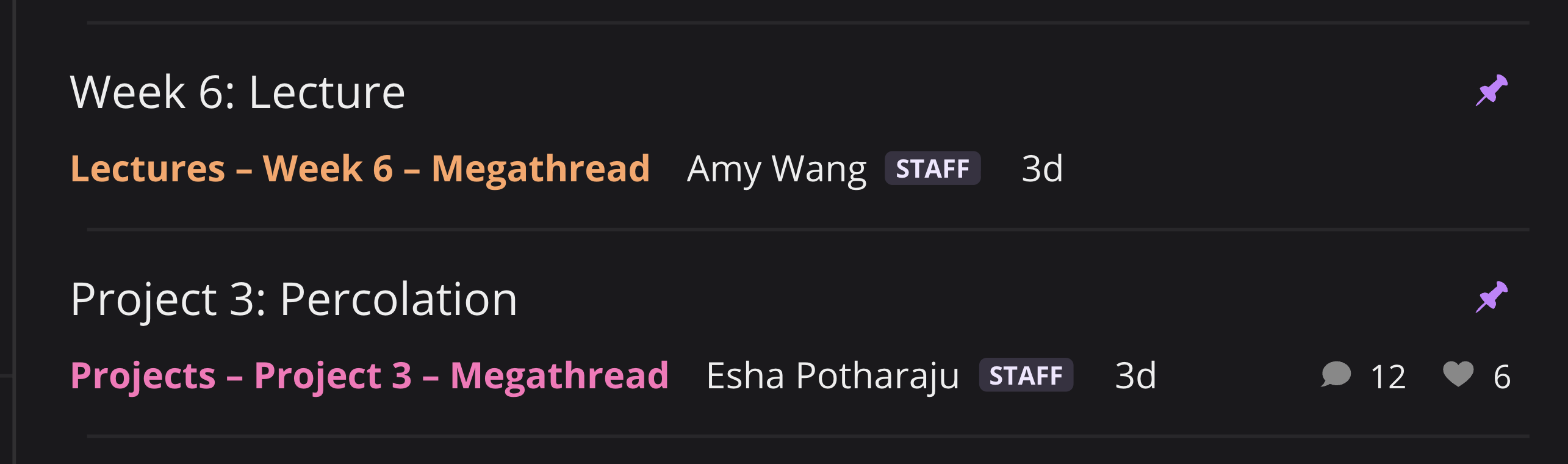
An example of megathreads in the navbar
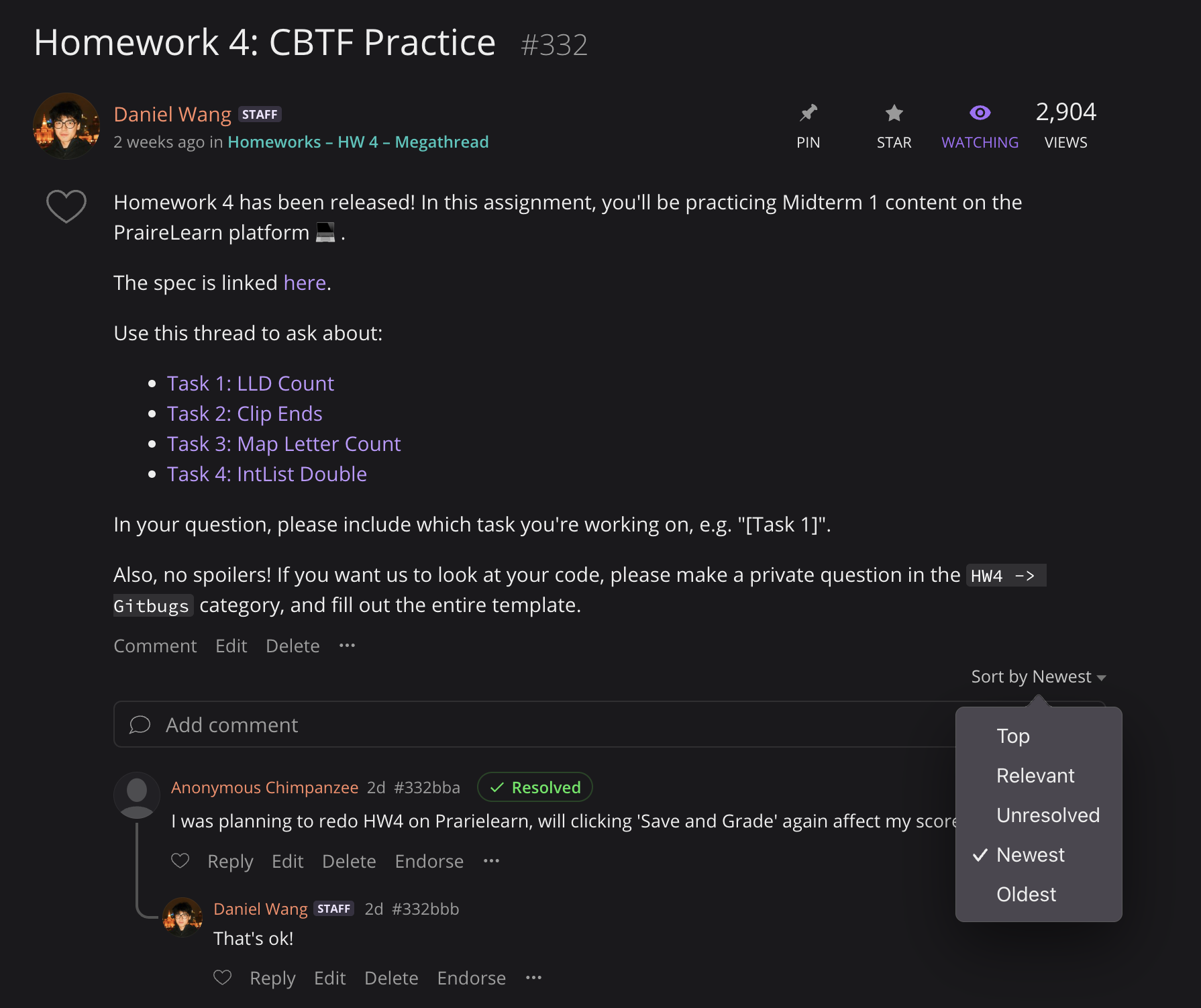
An example of the megathread interface